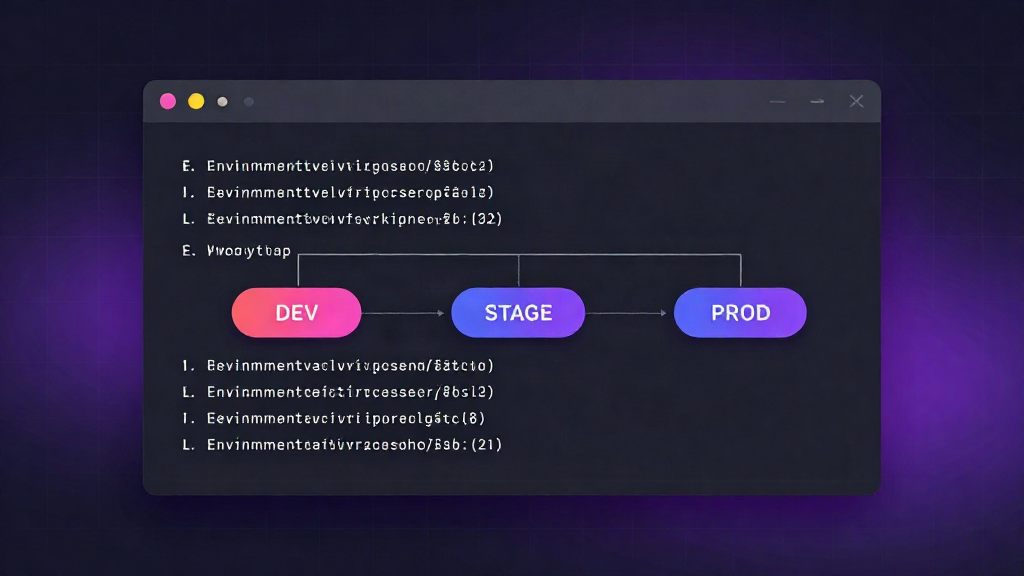
How to Manage Environment Variables Across Dev, Staging, and Production
Every team starts with good intentions. A .env file lives in the repo root, someone adds a key, and the app comes up. Six months later, production is running a value nobody can find, staging quietly points at a test database, and a new engineer spends a full day guessing which of three config files is the real one.
Managing environment variables across environments is not a storage problem. It is a process problem: defining how config moves, how it differs, and who can change it. Get the process right, and the tooling is a single command away. Get it wrong, and every deploy becomes a small act of faith.
This guide walks through why configuration drifts, a repeatable workflow for keeping dev, staging, and production aligned, and how to export ready-to-use .env files per stage from one command.
Why environment variables drift between dev, staging, and production
Configuration drifts because it lives in too many places at once. Development keys sit in a local .env on someone's laptop. Staging values were typed into a dashboard during a fire drill. Production secrets were set once and never revisited. Nothing enforces that all three agree on which keys exist.
The drift starts small
A developer adds CACHE_TTL locally to test a change. It works, so they deploy. Staging has no such key, the app falls back to a default, and the behavior looks fine. Production falls back to a different default and pages someone at 2 a.m. The difference was never malicious, just invisible.
What drift actually costs you
- Debugging time. Engineers hunt for missing keys instead of fixing features.
- Security exposure. Secrets get pasted into chat threads, ticket comments, and CI logs because there is no shared way to hand them over.
- Broken deploys. A stage that silently diverges from production is not testing production.
- Onboarding drag. New hires cannot tell which config is authoritative.
The fix is not "write more docs." It is a single source of truth with explicit, per-environment overrides.
A step-by-step workflow for syncing and overriding values per environment
Step 1: Name your environments and lock a shared key schema
Decide on a fixed set of environment names - typically dev, staging, and production - and treat them as first-class, not folders someone remembers to update. Then define the schema: which keys every environment must have.
A key that exists in production but not staging is a bug waiting for a deploy. Keep the schema identical across environments and vary only the values.
Step 2: Keep one source of truth per project
Per project, not per machine. Configuration should live in one place that every environment reads from, so there is no question about which file is canonical. Store values encrypted at rest and organized by project and environment, so dev and production are views of the same system rather than disconnected files.
When the source of truth is centralized, "what is production using?" has a real answer instead of a guess.
Step 3: Override only what differs
Most values are identical across stages: feature flags, service names, timeouts. A small set genuinely differs: database URLs, API keys, and anything pointing at an external service.
Inherit the common set and override the handful that change. This keeps the diff between environments small and reviewable. If staging and production differ by forty keys, you have two systems running as one, and nobody can reason about either.
Step 4: Gate access by role
Not everyone needs production secrets. Give developers full access to their own environments while restricting production values to those who ship to it. Role-based access means a new contributor can pull down dev config without ever holding a production credential.
This also shrinks the blast radius of a leaked laptop. If the machine never touched production secrets, there is nothing to rotate.
Step 5: Rotate and audit on a schedule
Treat secrets as things that expire, not artifacts you set once. Schedule rotation for the values with the widest reach, and keep a record of who changed what. An audit trail turns "someone updated the key" into a timestamped, attributable change.
Rotation is routine only when it is easy. If rotating a key means three manual edits across two systems, it will not happen - and the value that shipped two years ago stays in production forever.
Using a single-command CLI to export ready-to-use .env files per stage
The workflow above is only as good as the moment a developer runs the app. That moment should be one command, not a checklist.
With the official CLI, you pull the right values for a stage and get a ready-to-use .env file in your working directory:
>_ envly pull --env staging
One command, scoped to the environment you named, writing the file your framework already knows how to read. No copy-paste from dashboards, no hunting through last week's Slack messages, no question about whether your local config matches the stage you are deploying to.
Because the same command serves every environment, onboarding a teammate is a clone and a pull. Because values stay encrypted at rest and access is role-scoped, that convenience does not cost you security. The terminal-first workflow you already ship with stays intact - it just stops being a source of drift.
The short version
Configuration drift is a process failure, and it has a process fix:
- Fix your environment names and a shared key schema.
- Keep one encrypted source of truth per project.
- Override only the values that genuinely differ.
- Scope access by role so production stays narrow.
- Rotate on a schedule and keep an audit trail.
- Export per-stage
.envfiles with a single command.
Do that, and the question stops being "which config is production using?" Developers stop guessing, deploys stop surprising you, and your secrets stay where they belong - in a vault, not in a chat thread.